
Metadata Cleaner: Photo/Video
Dîtin, guhertin û jêbirina metadata (GPS, dem).


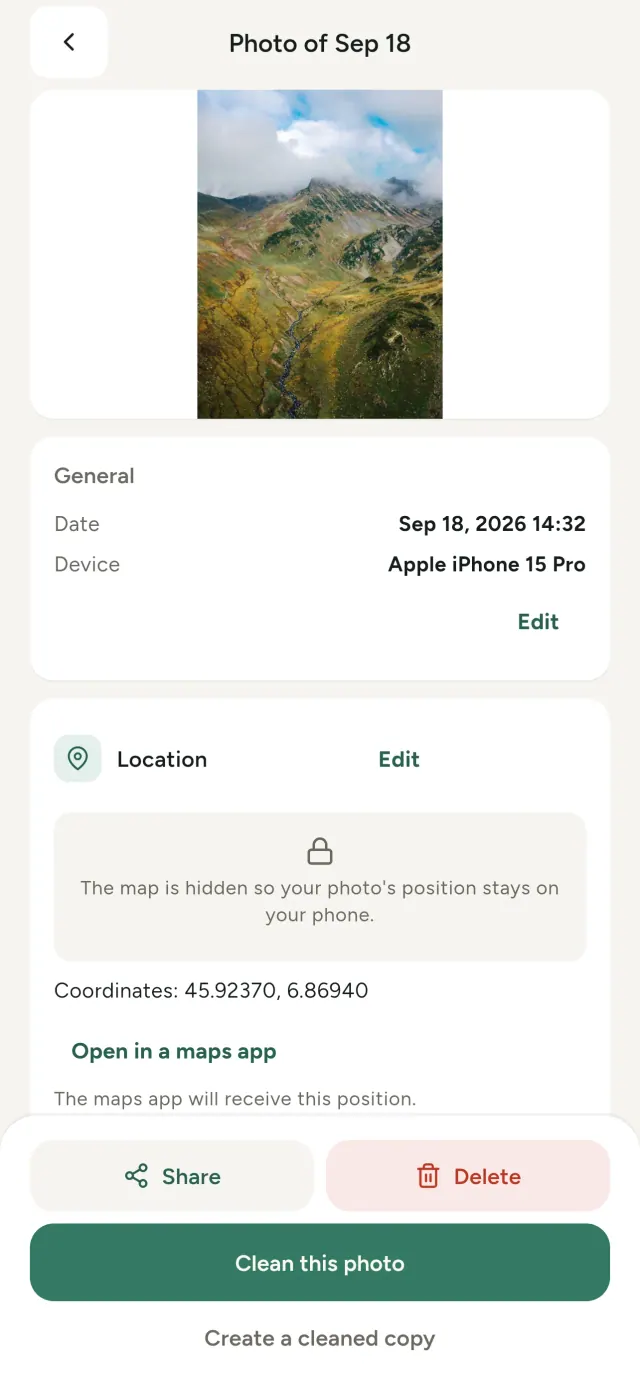
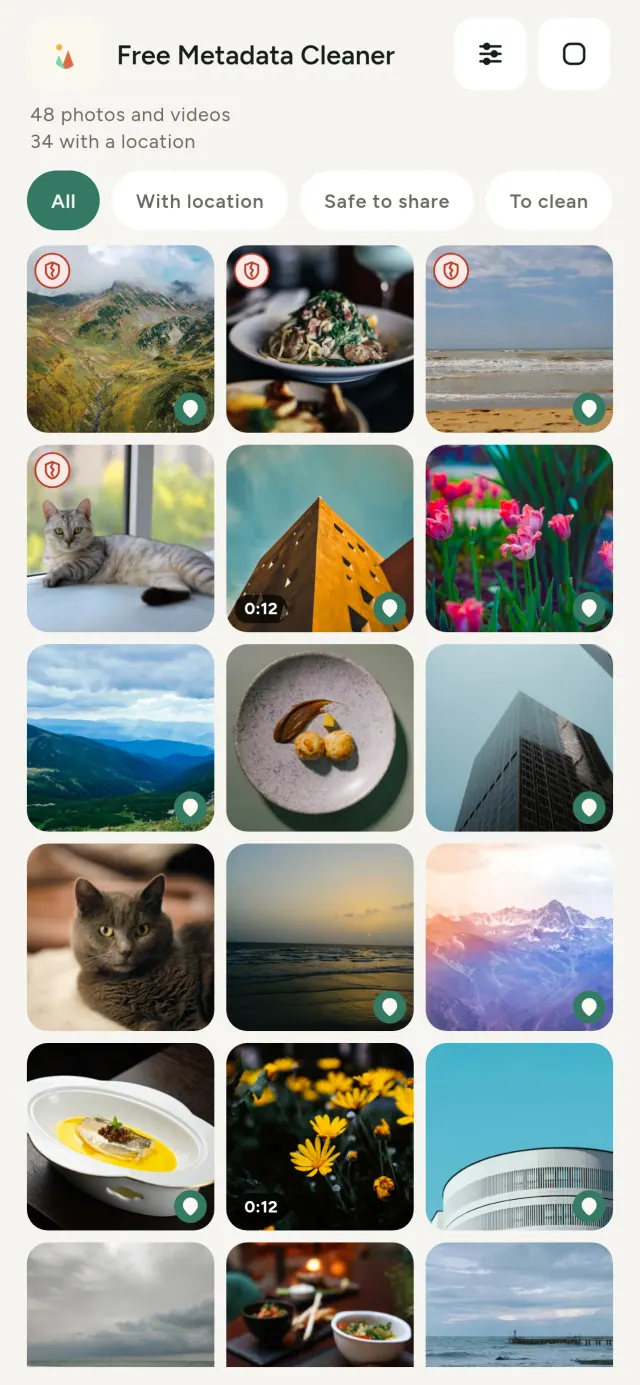
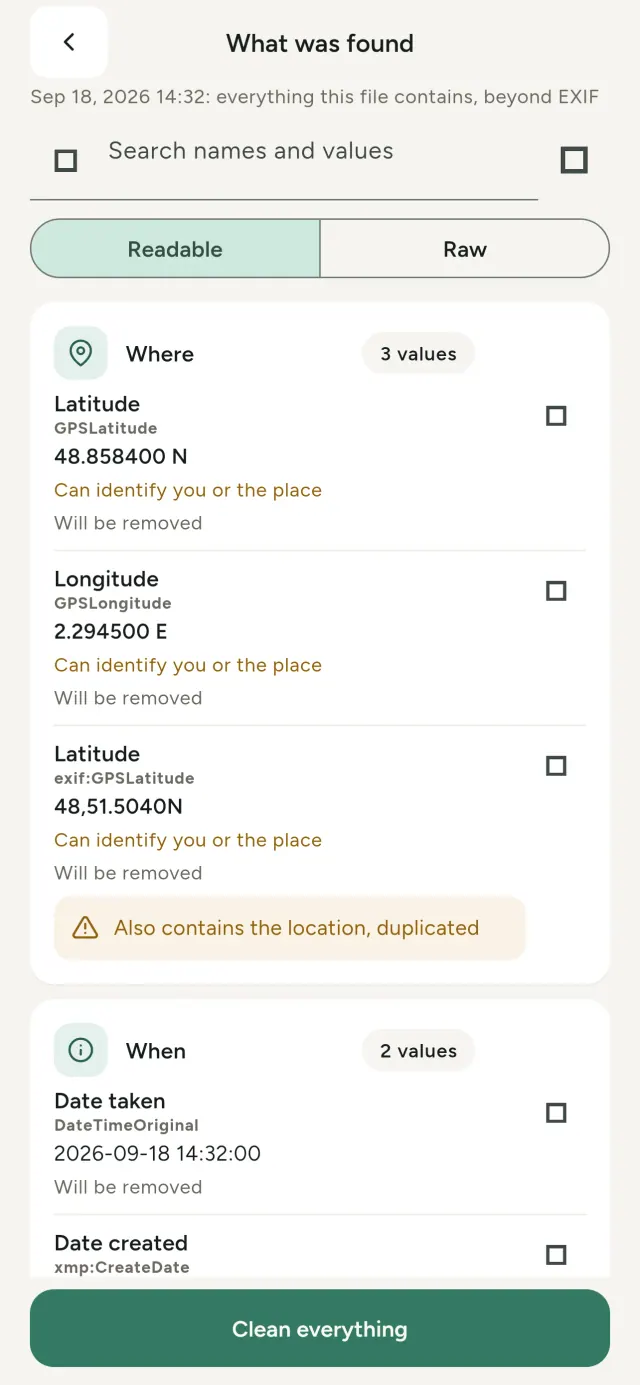
Her wêne daxuyaniya veşartî tê digire: li ku, kîjan dem, bi kîjan telefonê, hin caran pêşdîtina biçûk jî. Bila hûn parve bikin, hemûyan digerin.
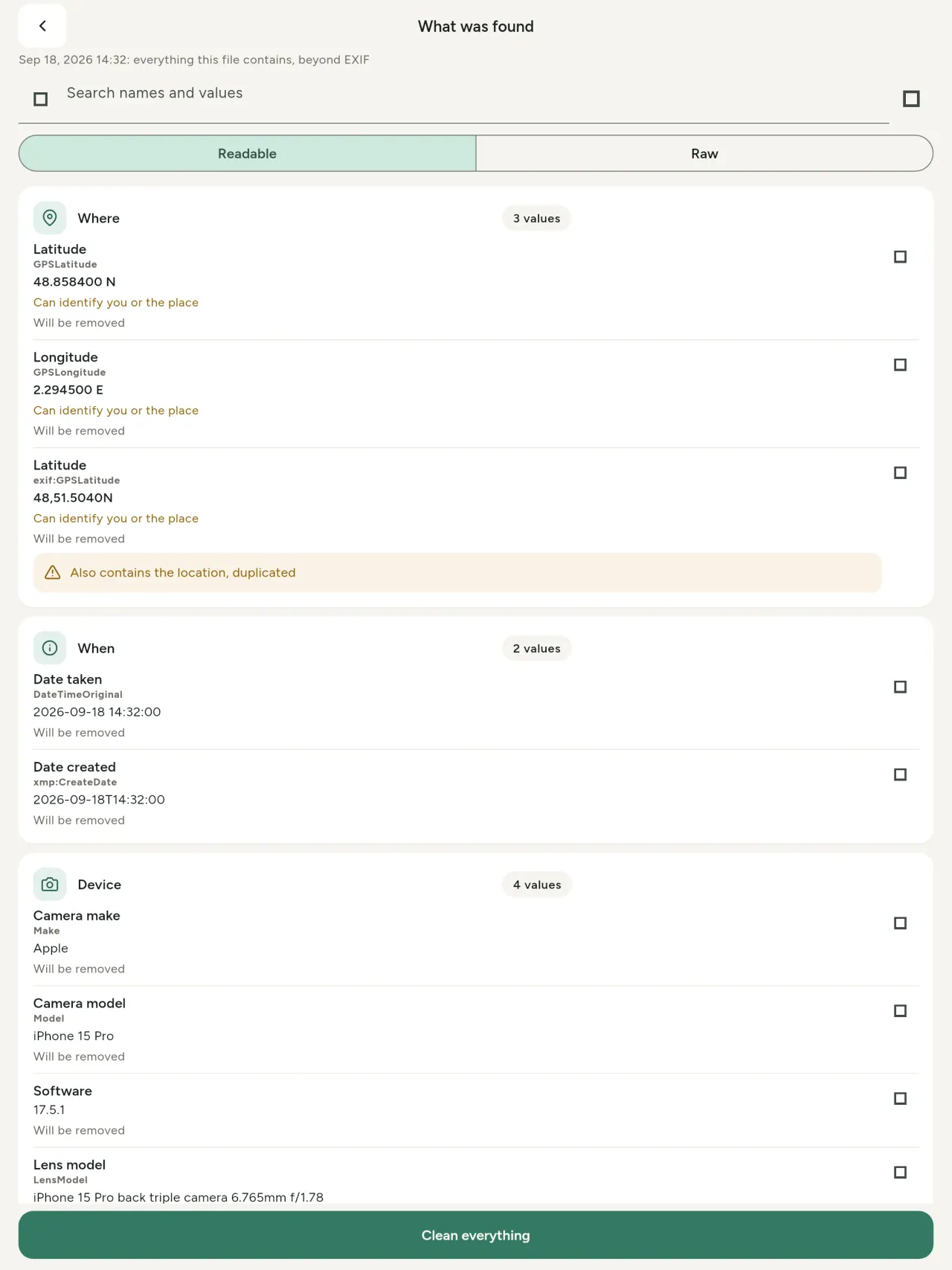
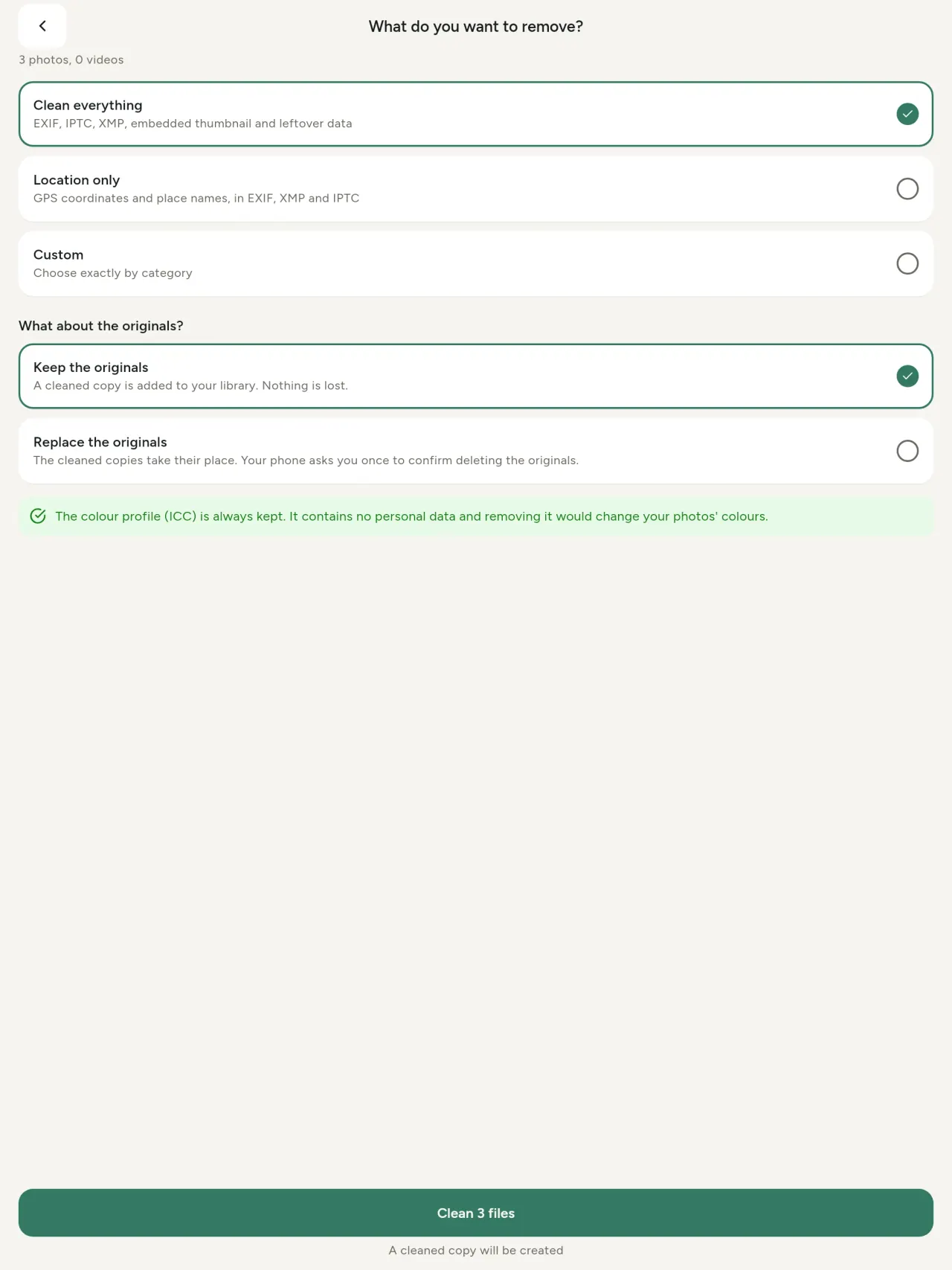
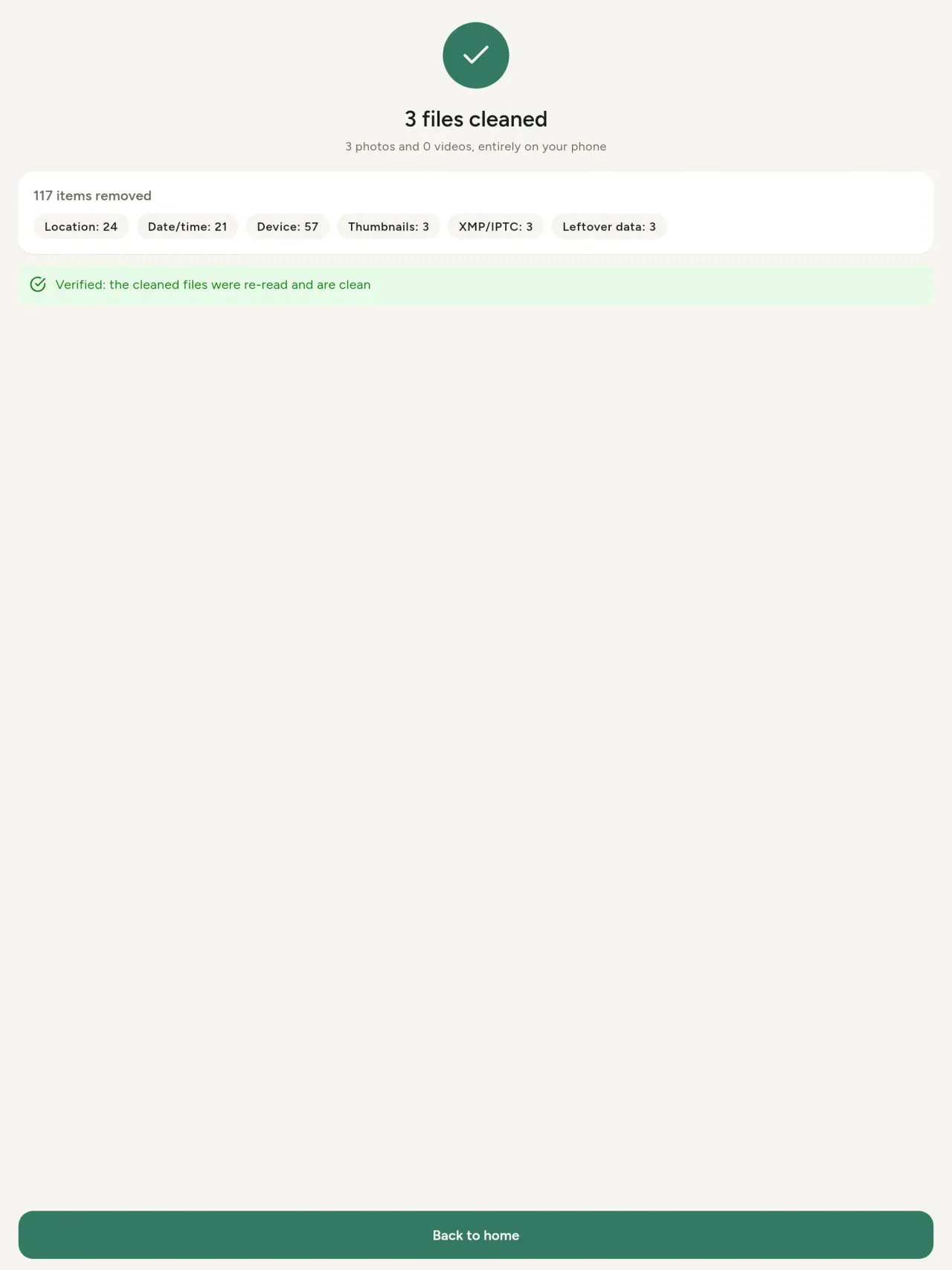
Metadata Cleaner sê tişt dikê: nîşan dide metadata, guhertin dide û jê dibe.
Metadata Cleaner çi dike
Xwendin
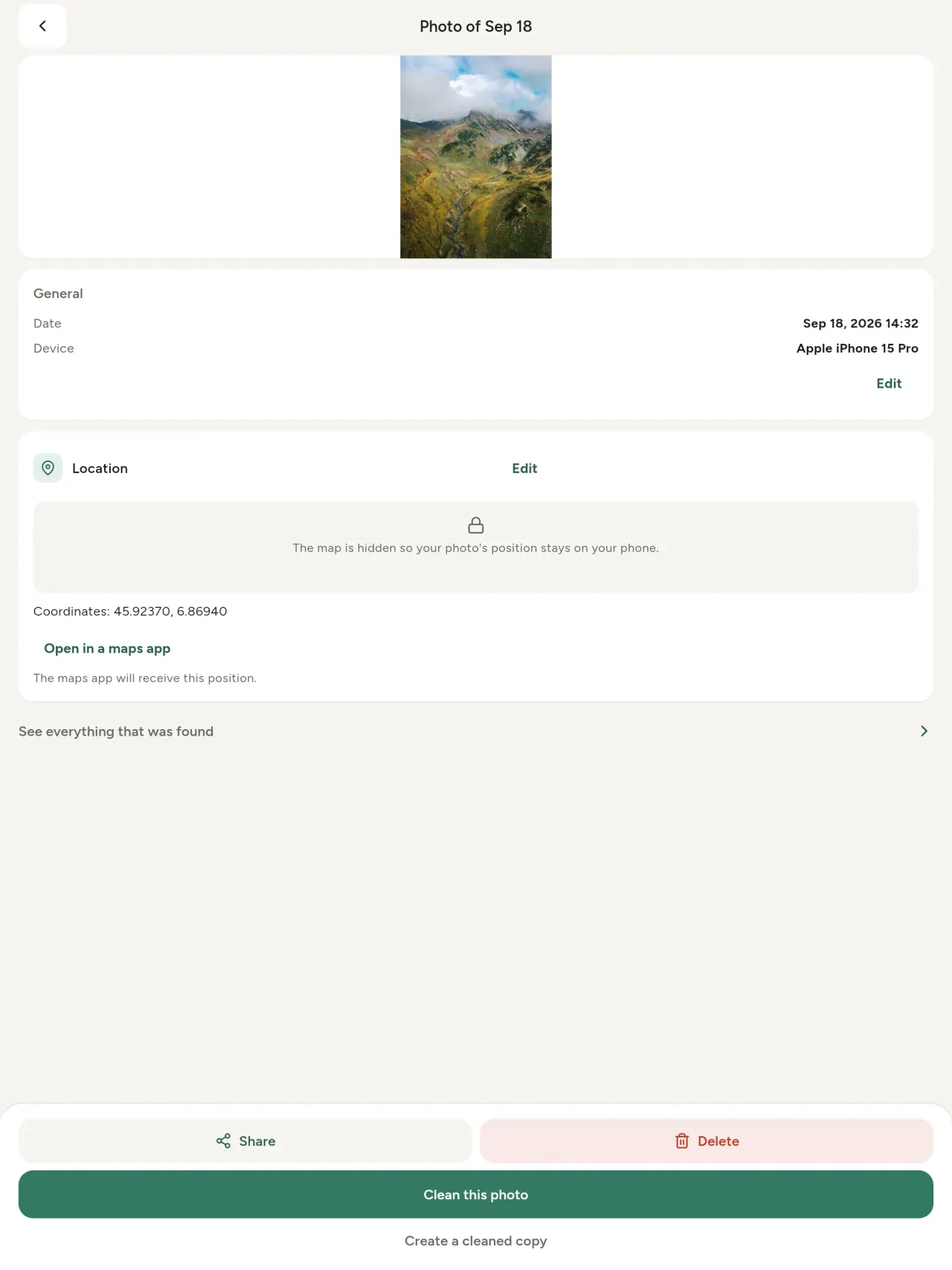
Metadata viewer: hemû nirxê di wêne/vîdyoyê de (EXIF, IPTC, XMP, kodek, demjimêr, firehî), komkirî, lêgerîn û kopîkirin, markirî yên dê jê bibe. AI provenance (C2PA, parametre) jî tê zanîn.
Guhertin
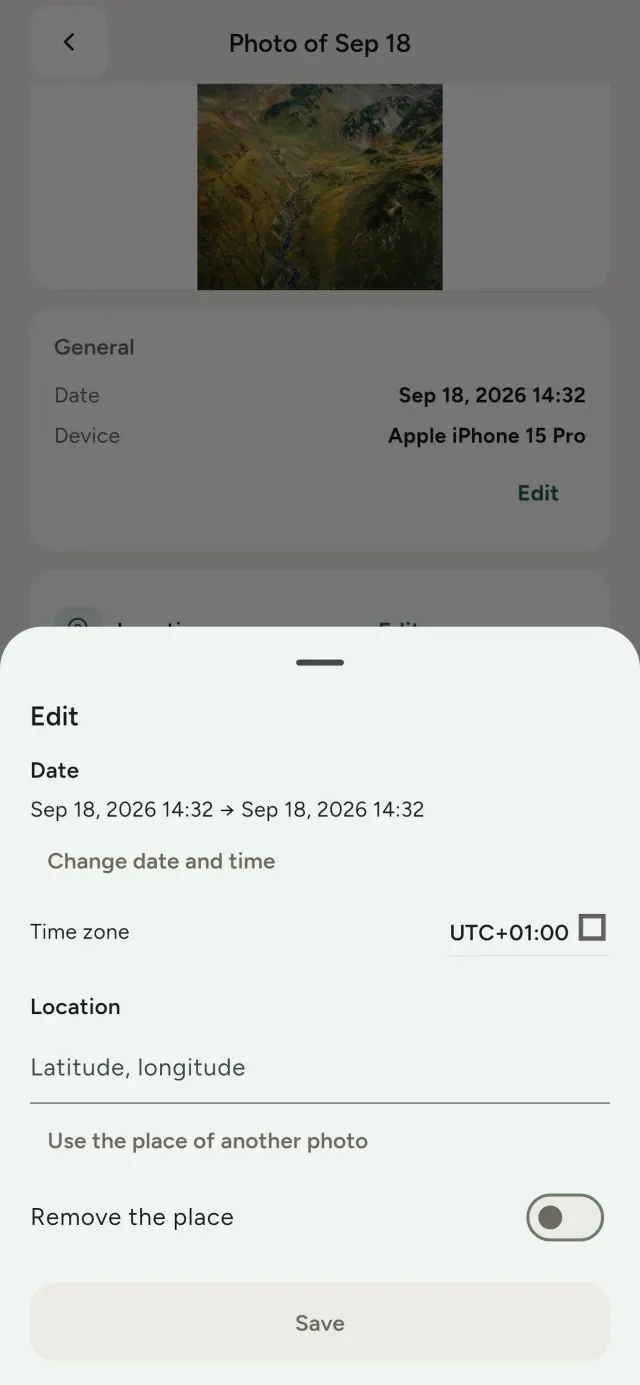
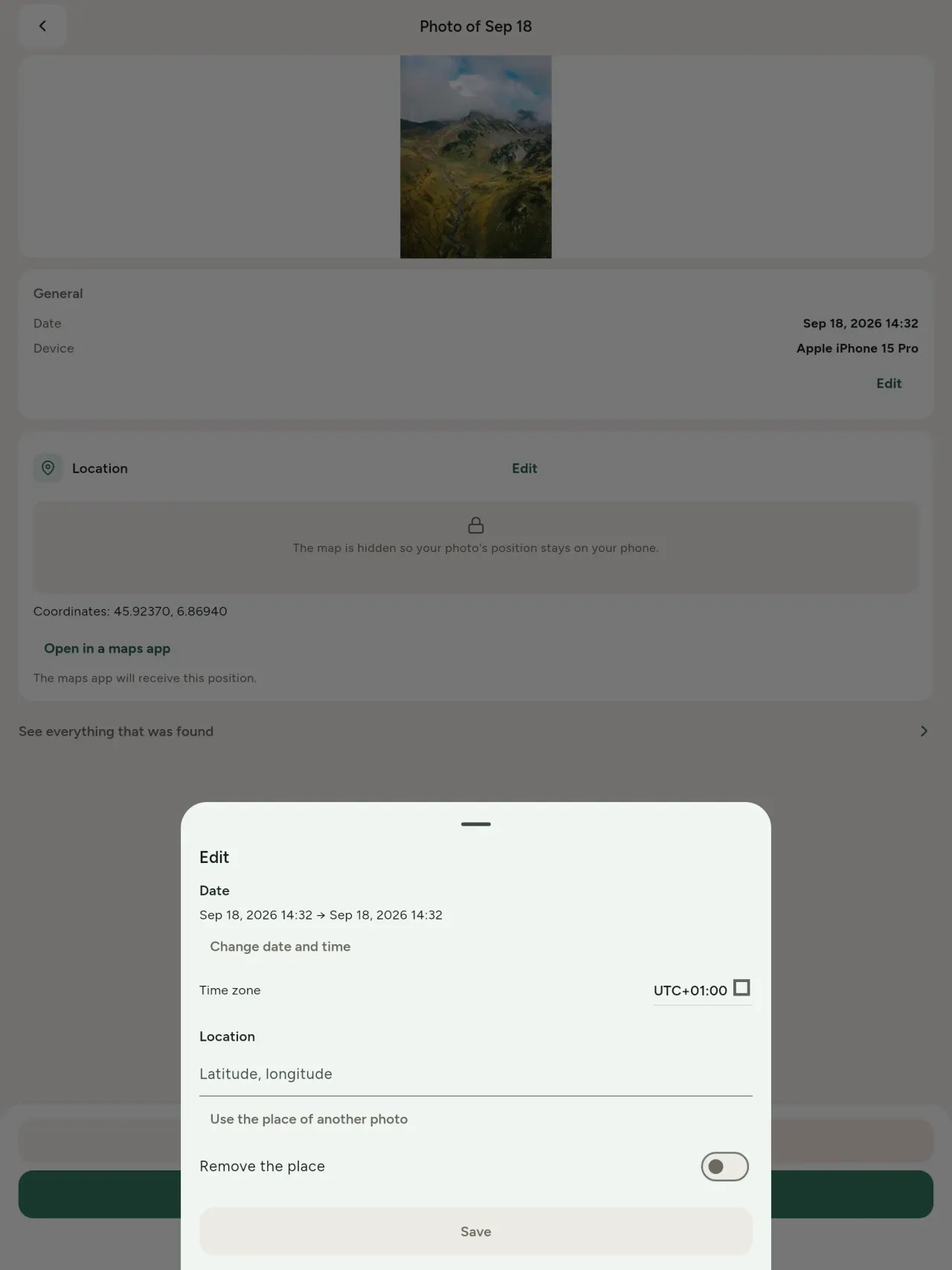
Dem an cîhê wêne biguherînin, an li wêneyê bê metadata. Cîhê din kopî bikin an li nexşeyê hilbijêrin (her car pirs dike). Berî û paşê temaşe bikin.
Jêbirin
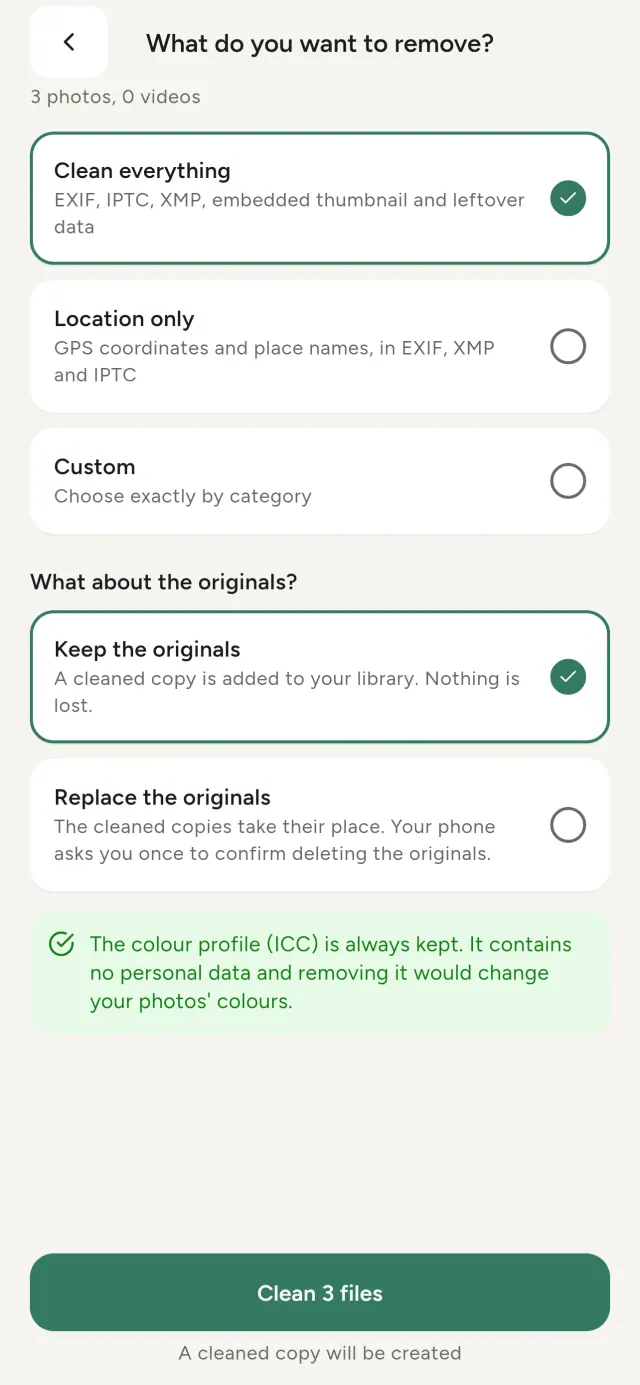
Hemûyan, tenê cîh, an kategorî: EXIF, IPTC, XMP, thumbnails, notên kamera, AI provenance û daneyên mayî. Destnîşan hilbijêrin, orjînal biparêzin an veguhezînin.
Ewle ji bo parvekirinê
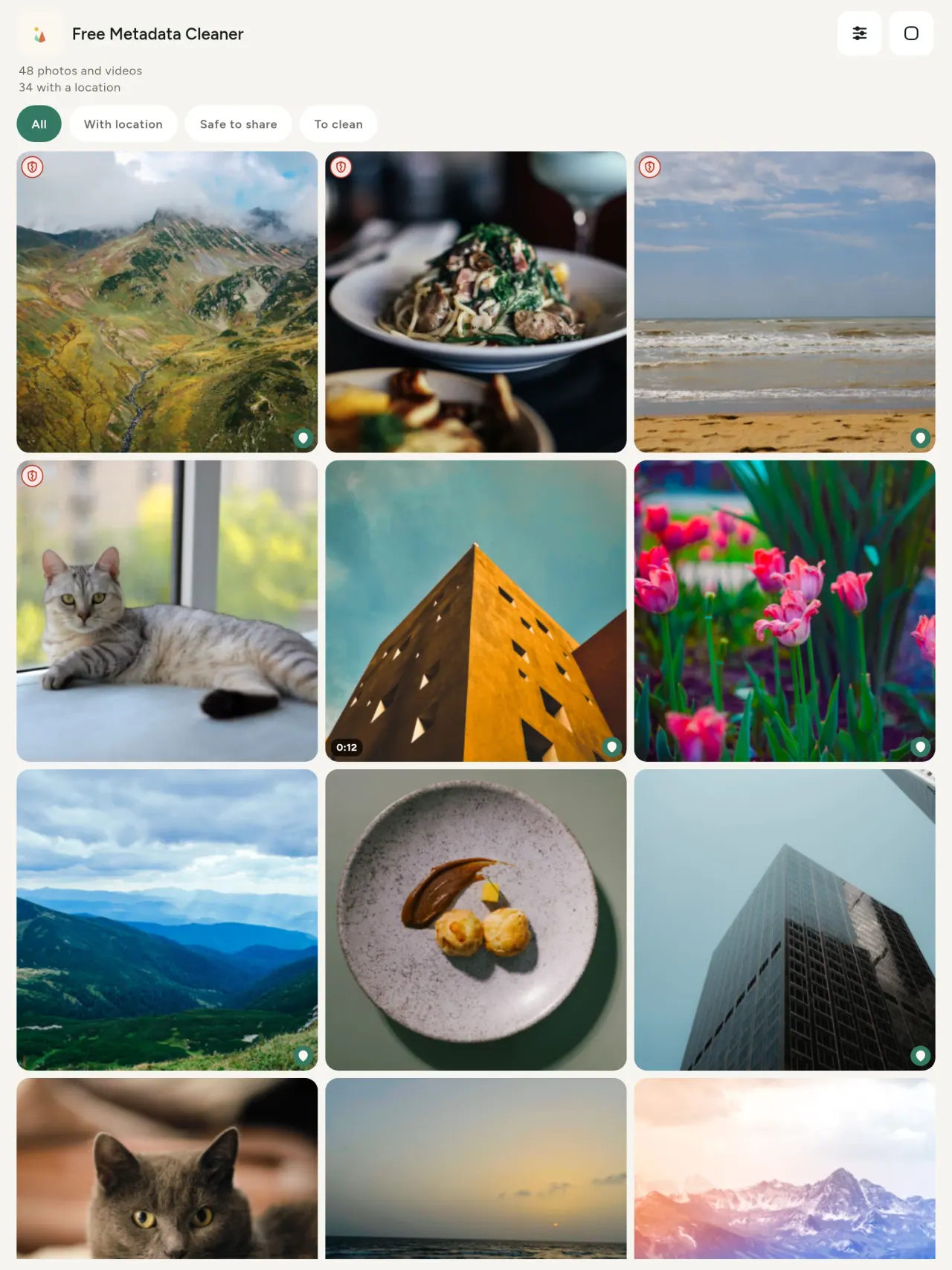
Shieldê kesk nîşan dide bê metadata; shieldê sor, hin metadata.
Bê keyfîyet wedane
Wêne nayê nûve kirin: wêne ne tê biguherîn.
Nepenî
Wêne di ser amûrê xwe de tê xebitandin. Ne hesab, ne reklam, ne analiz. Map tenê dema pirsê we dixebite, piştî îcazetê, ji OpenStreetMap.
Belaş, ne reklam
Yek xwestin: hibe bidin.
Bo kê ye
- Her kes ku dixwaze bizane wêne çi nîşan dide (cihê GPS, dîrok, kamera) berî şandin, firotin an belavkirinê.
- Kesên ku li malpera firotanê bi agahîyan firotin û naxwazin cihê xwe nîşan bidin.
- Dêûbav, an her kes ku dixwaze cihê nebûyî (mal, dibistan, cihê karê) ji wêneyan ku belav dikin dûr bikêşin.
- Rojnamevan, ativîst û kesên li erênî, yên ku pêwîst e wêneyek bê şopandina êşkere belav bikin.
- Kesên ku ji zêdetiriyê data xweste şikêst û dixwazin kontrolê razanên kesane yên wek wêneyên xwe biparêzin.
Çima Metadata Cleaner hilbijêre
- Sê tişt di sepanekê de: bibîne wêne an vîdyo çi nîşan dide, guherînin lê bike (dîrok, cih), û metadata bi çend fîl tercîhê bibe.
- Hemû tişt li ser telefonê tê xebitandin. Wêneyên te nehat şandin.
- Wêne (JPEG, HEIC, PNG, WebP, GIF) û vîdyo (MP4, MOV, 3GP).
Tiştên sepan hîn nake
- Tenê formatên li jor hatine piştgirî kirin. Formatên nû tên plan kirin.
Prensîba Pixeon. Sepanên Pixeon xebatê xwe di herêmê de dikin: tu hesab, tu şopandin, daneyên te li ser telefonê te dimînin. Eger sepanek carekê bi torê ve girêdayî bibe, tenê dema ku tu taybetmendiyekê bikar tînin û politîkaya taybetmendiyê nûve dibe berî serşandina wê.
Metadata Cleaner bi kar bîne.
Metadata Cleaner bistîne.
Li ser iPhone û Android belaş e.
Guherto 1.1
- App Store Dê be
- Google Play Dê be
Çi nû ye
Ev nivîs bi Inglîzî ye.
- Read: see exactly what a photo or video reveals (location, date, camera, AI provenance labels such as C2PA and generation parameters, video duration, codecs, resolution and frame rate).
- Edit: change the date a photo was taken and its location (JPEG, HEIC, AVIF), even on a photo with no metadata, reuse the location of another photo, or pick it on an OpenStreetMap map after your confirmation.
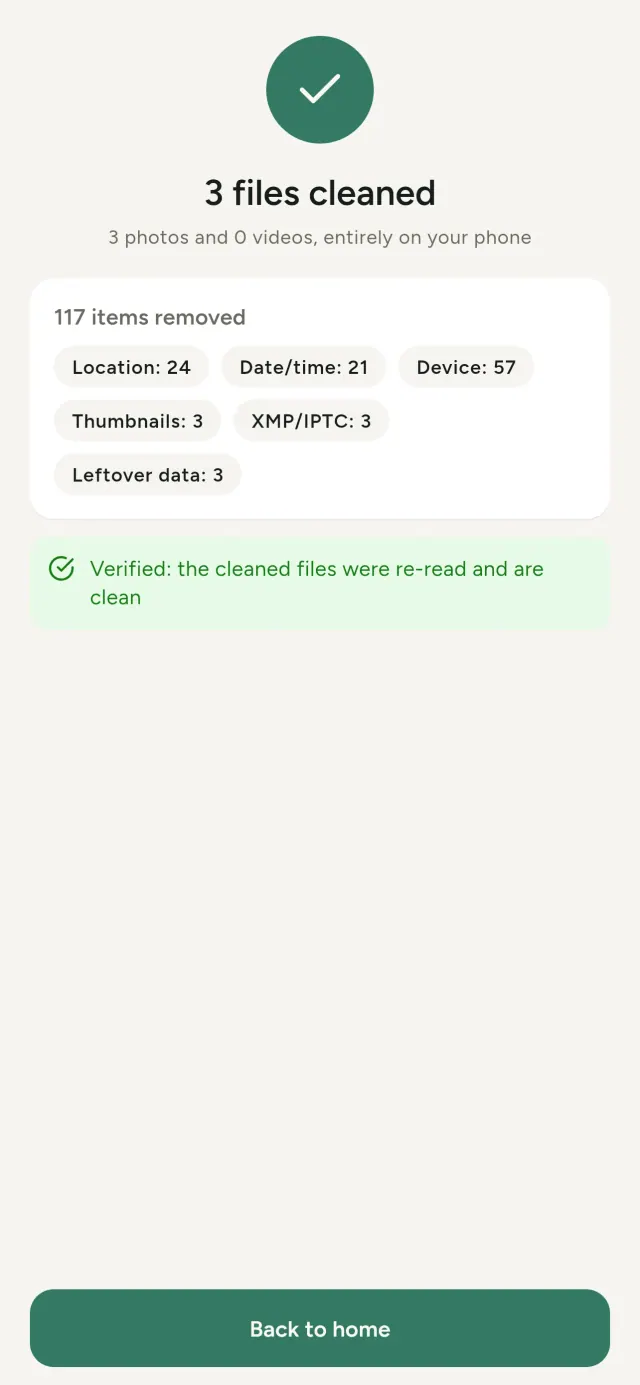
- Remove: clean metadata in a few taps, with a before and after view on the result screen.
- DNG photos are supported.
- Translations aligned across 91 languages.
Privacy policy
Nivîsa jêr bi Inglîzî ye. Vê gewreyê ya Inglîzî pêş dibe.
Last updated: 2026-11-03 · applies to version 1.1 and later
Policy versions: 1.1 and later (this text) · version 1.0 (still the policy of the app version 1.0). The version number of your app is shown at the bottom of its Settings screen.
Free Metadata Cleaner shows and removes the metadata hidden in your photos and videos (location, date and time, camera and lens details, thumbnails…). The short version: everything happens on your device, and we collect nothing.
What the app accesses
Your photo and video library, only after you grant permission (and, where your system requires it, the permission to read the location stored in your photos, so that it can be shown to you). The files you choose are read and cleaned on your device; the cleaned copy is saved to your library. If you choose to replace the originals, the system asks you to confirm before deleting them.
To show which photos are already clean, the app reads the metadata of the photos displayed on screen, on your device. This result is kept in memory only and is never stored.
What we collect
Nothing. No account, no analytics or usage tracking, no advertising or advertising identifiers, no crash or diagnostics reporting beyond what the app stores provide, and no third-party SDK that sends data anywhere. There is no Free Metadata Cleaner server. Cleaning a photo or video never uses the network, at all: turn on airplane mode and clean one to check for yourself. The only network request the app itself can ever make is described under “Location” below, and it only ever happens if you ask for it. The one other connection is the optional tip purchase, handled by the store (see “Optional support”).
Temporary files and history
The app keeps no history and no database. Temporary files created while cleaning are deleted after each item and purged when the app starts.
Deleted originals
Originals that are deleted remain in your system's trash (such as “Recently Deleted” or the trash) for about 30 days, with their metadata. The app cannot empty it: do it yourself if you need the originals gone at once.
iCloud and cloud photos
If a photo is stored in iCloud and not on your device, the operating system may download it before the app can process it. That transfer is made by the system, under the provider's own terms, not by the app.
Location
When a photo contains a location, the app shows the coordinates as text, which stays on your device. Three actions can send location information off your device, only when you choose them, each time: “Open in…” hands the coordinates to the maps application you select, under its own privacy policy; “Show the map” asks you to confirm first (“Showing the map sends this photo's position to a map service. Nothing else is sent.”), then loads a small map from OpenStreetMap for that one position; and, when you edit a photo's place, “Choose on the map” asks you to confirm first, then opens a full-screen map from OpenStreetMap. This map does not use your phone's location. As you move and zoom it, the app requests the map tiles of the area you are browsing, so OpenStreetMap receives the position of the area shown on screen, which starts on the photo's current place if it has one, and otherwise on a world view. The photo itself is never sent, and nothing is sent before you confirm. The place you choose on the map (or copy from another photo) is written into the photo's file only when you save, on your device. In every case OpenStreetMap receives, as with any web request, technical details like your IP address; it does not receive your name, an account, or anything else about you or your other photos. See OpenStreetMap's own privacy policy. Outside of these explicit actions, the app never sends a photo's location, or anything else, anywhere.
Optional support
The app is free. If you wish, you can leave a tip. On iPhone and in the Google Play version for Android, tips are in-app purchases processed by Apple or Google under their own terms and privacy policy; the app adds the Google Play billing permission for this, makes no network call itself, and receives no payment or personal details. Versions installed outside Google Play may instead open an external donation page in your browser, operated by a third party under its own privacy policy; nothing from the app is sent to it. A tip unlocks nothing.
Contact form on this website
If you write to us through this site, we use your message and the email address you optionally give only to reply. Bot protection is provided by Cloudflare and email delivery by Resend.
Language choice on this website
When you choose a language, or when this site opens a page in your browser's language, it stores
one small functional cookie (pxl, a language code, one year) so that your choice is
remembered. If this site suggests a page in your browser's language and you close that suggestion,
your browser also keeps a local note (pxl-banner-off, in local storage, 30 days) so the
suggestion does not come back. Neither identifies anyone, neither is used for tracking or advertising,
and neither is shared. You can delete them in your browser at any time.
Website statistics
This website uses Cloudflare Web Analytics to count visits (pages viewed, country, browser type, loading speed). It sets no cookie, does not use local storage, does not fingerprint your device, does not follow you across sites and does not build a profile of you. Search engines (for example Google Search Console) give us aggregated search statistics, without any data about individual visitors. Our own web server also counts the pages it serves: for each page it keeps the page address, the site or social network that sent you (only its name, or the campaign tag written in the link), the country, the type of device and whether the request came from a robot. It keeps no IP address, no identifier and no cookie, and these counts are anonymous. We use no advertising or other analytics service. None of this concerns the app itself, which collects nothing.
Children
The app is a general-purpose tool and is not directed at children.
Changes
An updated policy will be published at this URL with a new date above.
Contact
Questions about privacy: metadata-cleaner-contact@pixeon.net
Guherto 1.0
- App Store Weşandî
- Google Play Weşandî
Çi nû ye
Ev nivîs bi Inglîzî ye.
- Cleans JPEG, HEIC, PNG, WebP, GIF, MP4, MOV and 3GP files, with no video re-encoding.
- "Safe to share" and "To clean" filters.
- New green design.
- Help screen with a FAQ.
- Settings: share, rate, feedback, unsupported formats.
- Optional tips.
Privacy policy, version 1.0
Nivîsa jêr bi Inglîzî ye. Vê gewreyê ya Inglîzî pêş dibe.
Applies to version 1.0 of the app (the first release). Later versions: current policy.
Free Metadata Cleaner shows and removes the metadata hidden in your photos and videos (location, date and time, camera and lens details, thumbnails…). The short version: everything happens on your device, and we collect nothing.
What the app accesses
Your photo and video library, only after you grant permission (and, where your system requires it, the permission to read the location stored in your photos, so that it can be shown to you). The files you choose are read and cleaned on your device; the cleaned copy is saved to your library. If you choose to replace the originals, the system asks you to confirm before deleting them.
To show which photos are already clean, the app reads the metadata of the photos displayed on screen, on your device. This result is kept in memory only and is never stored.
What we collect
Nothing. No account, no analytics or usage tracking, no advertising or advertising identifiers, no crash or diagnostics reporting beyond what the app stores provide, and no third-party SDK that sends data anywhere. There is no Free Metadata Cleaner server. Cleaning a photo or video never uses the network, at all: turn on airplane mode and clean one to check for yourself. The only network request the app itself can ever make is described under “Location” below, and it only ever happens if you ask for it. The one other connection is the optional tip purchase, handled by the store (see “Optional support”).
Temporary files and history
The app keeps no history and no database. Temporary files created while cleaning are deleted after each item and purged when the app starts.
Deleted originals
Originals that are deleted remain in your system's trash (such as “Recently Deleted” or the trash) for about 30 days, with their metadata. The app cannot empty it: do it yourself if you need the originals gone at once.
iCloud and cloud photos
If a photo is stored in iCloud and not on your device, the operating system may download it before the app can process it. That transfer is made by the system, under the provider's own terms, not by the app.
Location
When a photo contains a location, the app shows the coordinates as text, which stays on your device. Two actions send that one photo's position off your device, only when you choose them, each time: “Open in…” hands the coordinates to the maps application you select, under its own privacy policy; “Show the map” asks you to confirm first (“Showing the map sends this photo's position to a map service. Nothing else is sent.”), then loads a small map from OpenStreetMap for that one position. OpenStreetMap receives the coordinates and, as with any web request, technical details like your IP address; it does not receive your name, an account, or anything else about you or your other photos. See OpenStreetMap's own privacy policy. Outside of these two explicit actions, the app never sends a photo's location, or anything else, anywhere.
Optional support
The app is free. If you wish, you can leave a tip. On iPhone and in the Google Play version for Android, tips are in-app purchases processed by Apple or Google under their own terms and privacy policy; the app adds the Google Play billing permission for this, makes no network call itself, and receives no payment or personal details. Versions installed outside Google Play may instead open an external donation page in your browser, operated by a third party under its own privacy policy; nothing from the app is sent to it. A tip unlocks nothing.
Contact form on this website
If you write to us through this site, we use your message and the email address you optionally give only to reply. Bot protection is provided by Cloudflare and email delivery by Resend.
Language choice on this website
When you choose a language, or when this site opens a page in your browser's language, it stores
one small functional cookie (pxl, a language code, one year) so that your choice is
remembered. If this site suggests a page in your browser's language and you close that suggestion,
your browser also keeps a local note (pxl-banner-off, in local storage, 30 days) so the
suggestion does not come back. Neither identifies anyone, neither is used for tracking or advertising,
and neither is shared. You can delete them in your browser at any time.
Website statistics
This website uses Cloudflare Web Analytics to count visits (pages viewed, country, browser type, loading speed). It sets no cookie, does not use local storage, does not fingerprint your device, does not follow you across sites and does not build a profile of you. Search engines (for example Google Search Console) give us aggregated search statistics, without any data about individual visitors. Our own web server also counts the pages it serves: for each page it keeps the page address, the site or social network that sent you (only its name, or the campaign tag written in the link), the country, the type of device and whether the request came from a robot. It keeps no IP address, no identifier and no cookie, and these counts are anonymous. We use no advertising or other analytics service. None of this concerns the app itself, which collects nothing.
Children
The app is a general-purpose tool and is not directed at children.
Changes
An updated policy will be published at this URL with a new date above.
Contact
Questions about privacy: metadata-cleaner-contact@pixeon.net
Alîkarî
Nûvekirinê dawî: 2026-10-08
Free Metadata Cleaner sepaneke bi serbixwe ye. Bersiva pirsên herî zêde li jêr hene.
Em hewl didin ku di çend rojan de bersiv bidin. Ji bo alîkarî, modela amûrê xwe, guhertoya pergalê û karê te bibêje. Ji kerema xwe wêneyên taybet neşîne.
Sepan çi daneyê tomar an şandin dike?
Tu tişt. Tarîxê nayê tomar kirin, hesab tune ye û server jî tune. Hûrguliyê li politikaya taybetmendiyê de hene.
Ez çawa dikarim wêneyek paqij bikim?
- Sepan veke û destûrê bidin da ku libraryê were dîtin.
- Wêne an vîdyoya ku dixwazî paqij bikî hilbijêre.
- Yê ku dixwazî dîtin rakî û ka orijînal ê biguherîne an kopiyayê paqij çêbike, hilbijêre.
- Piştrast bike. Kurtasîya têxistî nîşan dide ka çi hat rakirin û her pelê ku nehat şikl kirin, nîşan dide.
Kopiyên paqij çû kuderê?
Di libraryê wêneyên te de. Dîroka orjînal di library de dimîne, wisa wêneyê paqij ser serê galeriya te nakeve.
Ez 'orijînalan veguhezt' hilbijart, lê ew hîn heye.
Orjînalên jêhat di cîhê şûna pergalê de dimînin (wek "Nûjiyan hate jêbirin" an şûna pergalê) heta 30 rojan, bi metadata xwe. Li şûna pergalê pak bike da ew demjîrîn. Eger ez deqeyê jêbirina pergalê qebûl nekim, orjînalan dimînin û kopiyên paqij hîn têne zêdekirin.
Kêne pelan tên piştgir kirin?
Wêneyên di formatên JPEG, HEIC, AVIF, PNG, WebP û GIF de, û vîdyoyên di MP4, MOV û 3GP de (hêke formatên zêde têne zêdekirin). Pelê ku sepan nikare paqij bike, bêguman nayê guherandin û di kurtasiyê de bi sedema xwe tên nivîsandin, bê ku dirêjkirina gomelê rawestîne.
Sepan ji bo çi pêdivî ye ku destûrê bo wêneyên min bixe?
Ji bo ku wêneyan nîşan bide û kopiyên paqij tomar bike. Her ku pergala te pêdivî bikim, sepan jî destûr dide bo xwendina cihê ku di wêneyan de ye: bê wî sistem cihê vedikeve, wisa sepan nikare nîşan bide ka wêne çi dişopîne. Tu tişt nehat barkirin.
Ez çawa nikarim piştrast bikim ka tu tişt ji telefonê min dernakeve?
Moda balafîrê vekin û wêneyek paqij bikin: her di heman awayî de dikare. Tenê derzî map e: eger tu li ser "Nîşan bide mapê" di cihê wêneyê bitikîn û piştrast bikî, tenê ew cih di OpenStreetMap de tê şandin bo nîşana mapê, hêç tiştê din ne. Binêre "Cihê" li jor.
Kêne ziman tên peyda kirin?
Sepan bi Inglîzî, Frensî, Almanî, Spanî, Îtalîyanî, Portûgalî û Erebî de heye. Ev malper bi zimanên zêde heye, û zimanên nû yên sepanê têne zêdekirin.
Piştgiriya projeyê
Metadata Cleaner belaş e û bê reklame. Eger bi te re kêr hat, tu dikarî rêbaza pêşveçûnê piştgirî bikî (bijare):
Buy Me a CoffeeExpense tracker and family budget planner. Free phone sync, no account.
Jî ji PixeonVaultMarkEncrypted document vault. Watermark documents, remove metadata before sharing.
Jî ji PixeonLittle RelayBreastfeeding, sleep and starting solids tracker. No account, works offline.
Jî ji PixeonMenuloopPlan the week's meals, build your grocery list and keep recipes with photos.